
How to Build a Morning Routine That Actually Sticks (For Dads)

By Sylvia York • July 22, 2026
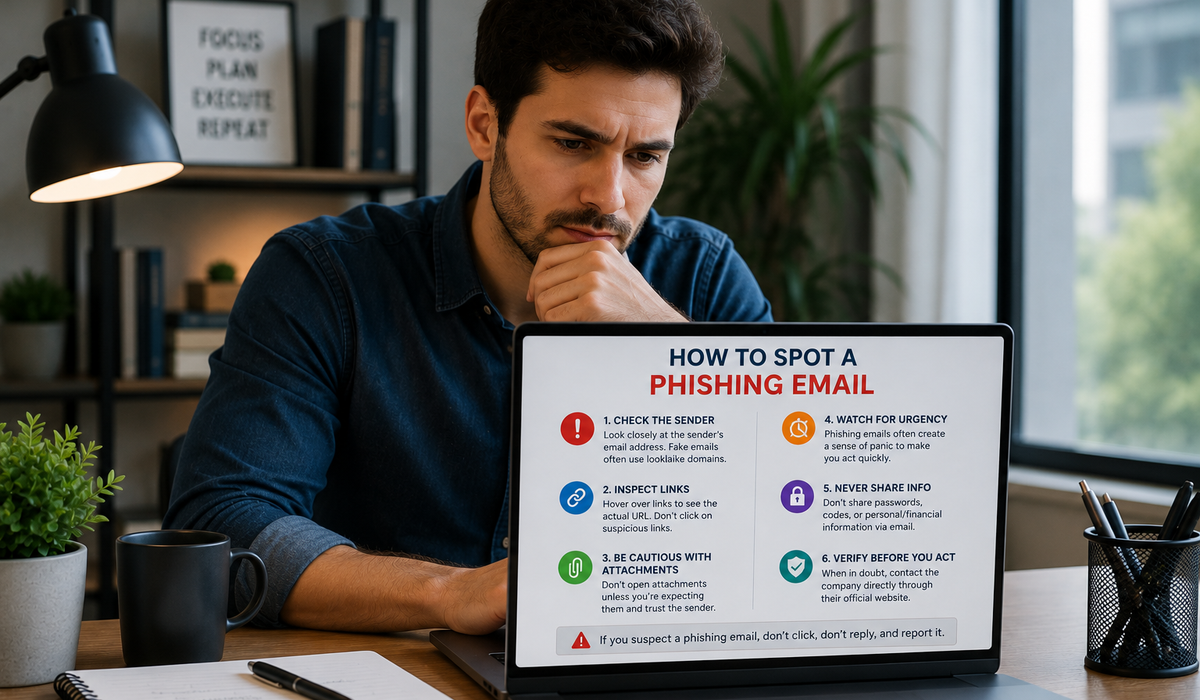
Phishing emails have become more convincing than ever. Instead of obvious spelling mistakes and suspicious messages, many now imitate banks, online retailers, streaming services, delivery companies, and even your coworkers. Their goal is simple: trick you into revealing personal information, downloading malicious software, or sending money.
The good news is that most phishing attempts still leave clues. By learning what to look for and slowing down before taking action, you can greatly reduce your chances of becoming a victim.
One of the most common phishing tactics is creating a sense of panic.
You may receive a message claiming your account will be suspended, a payment has failed, or suspicious activity has been detected. The email often urges you to act immediately by clicking a link or providing personal information.
Legitimate companies may notify you about account issues, but they rarely demand immediate action through threatening language. If an email pressures you to respond urgently, treat it with caution.
Taking a few extra minutes to verify the message is almost always safer than reacting quickly.
At first glance, a phishing email may appear to come from a trusted organization.
Look closely at the sender’s email address rather than just the display name. Attackers often use addresses that closely resemble legitimate ones, changing only a few characters or using unfamiliar domains.
For example, a fake email might replace letters with similar-looking numbers or use a domain that’s slightly different from the company’s official website.
If anything about the sender seems unusual, avoid clicking links or downloading attachments until you’ve confirmed the email is genuine.
Links are one of the most common ways phishing attacks succeed.
Before clicking, hover your mouse over a link on a computer or press and hold it on many mobile devices to preview the destination. If the web address doesn’t match the company you expect or contains unusual words, numbers, or misspellings, don’t click it.
Instead of using the link provided in the email, open your browser and visit the organization’s official website directly or use its official mobile app.
This simple habit can prevent many phishing attacks before they begin.
Unexpected attachments can contain malicious software designed to steal information or damage your device.
Even if an attachment appears to come from someone you know, think carefully before opening it—especially if you weren’t expecting it. Cybercriminals sometimes compromise legitimate accounts and send infected files to trusted contacts.
If you’re unsure whether an attachment is genuine, contact the sender through another communication method before opening it.
A quick phone call or message can prevent a serious security incident.
Legitimate organizations generally won’t ask you to provide passwords, verification codes, banking information, or Social Security numbers by email.
If an email requests sensitive personal or financial information, assume it’s suspicious until proven otherwise.
If you believe the request may be legitimate, contact the organization using a verified phone number or website rather than replying directly to the email.
Protecting your personal information starts with verifying who’s asking for it.
If you suspect an email is fraudulent, don’t click any links, open attachments, or reply to the message.
Report the email if your email provider or workplace offers a reporting feature, then delete it from your inbox. If you accidentally clicked a suspicious link, disconnect from the site immediately, change any affected passwords, and monitor your accounts for unusual activity.
If you entered sensitive information, contact your bank or the affected service as soon as possible so they can help secure your account.
Acting quickly can often limit the impact of a phishing attempt.
Phishing attacks succeed because they rely on human psychology rather than advanced technology. They create urgency, exploit trust, and encourage people to act before thinking.
Fortunately, a few simple habits—checking the sender, inspecting links, questioning unexpected requests, avoiding suspicious attachments, and verifying sensitive communications through official channels—can prevent the vast majority of phishing scams.
Cybercriminals continue to improve their tactics, but staying informed and slowing down before you click remains one of the most effective ways to protect your personal information. A moment of caution today can save you from significant financial and security problems tomorrow.

Fatherhood has changed significantly over the past few decades. While previous generations often focused primarily on providing financially for their families, many fathers today are embracing a broader role—one that includes caregiving, emotional support, household responsibilities, and active involvement in their children’s everyday lives.

Every family, workplace, or group of friends seems to have someone who quietly carries more than anyone realizes. He’s the one people depend on when something goes wrong. He stays calm during difficult moments, solves problems without complaining, and keeps moving forward even when life feels heavy.

Fatherhood isn’t usually defined by one extraordinary moment. It’s built through thousands of ordinary ones—making breakfast before school, showing up to soccer practice, reading one more bedtime story, listening after a difficult day, and being there when your child simply needs you.

Not every week is about chasing big goals or celebrating major achievements. Some weeks are simply about keeping everything moving—meeting deadlines, looking after your family, managing responsibilities, and finding enough energy to do it all again tomorrow.

Some dads seem to stay calm no matter what life throws at them. They handle busy mornings, unexpected setbacks, work stress, and family responsibilities without appearing constantly overwhelmed. It isn’t because their lives are easier or because they never feel stressed. More often, it’s because they’ve developed habits that help them respond thoughtfully instead of reacting emotionally.

Many people start an exercise routine with enthusiasm, only to stop a few weeks later. The problem usually isn’t a lack of motivation—it’s trying to follow a plan that doesn’t fit real life. Long workouts, unrealistic expectations, and an all-or-nothing mindset often make consistency difficult.